How to Share a Collaborator Code?
To help us investigate and resolve issues more efficiently, please provide your Shopify store domain and Collaborator Code. Once we receive this information, we will send a collaborator access request to your store.
How to Find Your Collaborator Code
- Log in to your Shopify Admin.
- Go to Settings → Users.
- Click Security.
- Under Store security, locate the Collaborators section.
- Copy your 4-digit Collaborator Code.
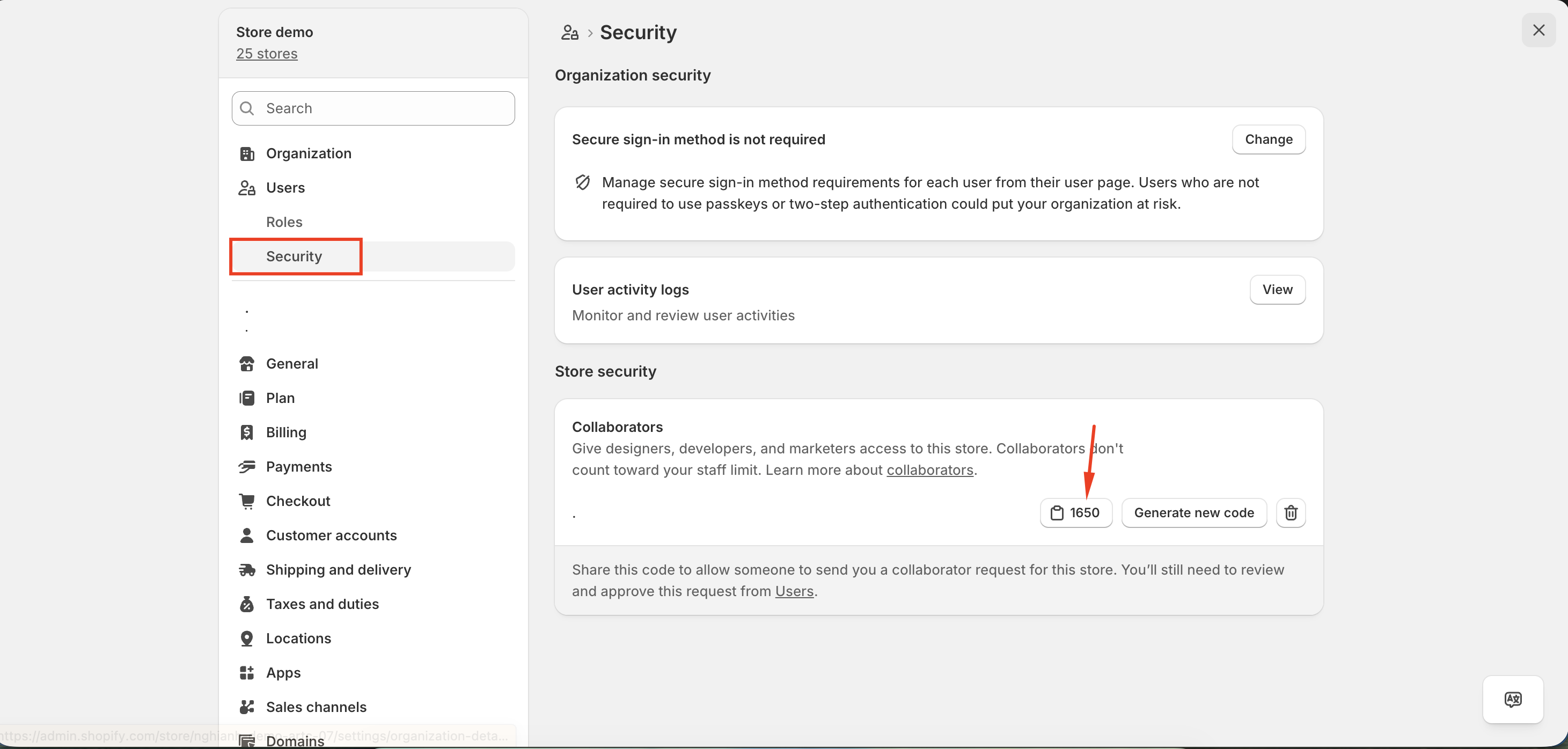
For detailed instructions, please refer to Shopify's guide:
Send the Information to Convercy Support
Please send us:
- Your Shopify store domain (for example:
your-store.myshopify.com) - Your 4-digit Collaborator Code
After receiving these details, we will send a collaborator access request to your store.
Approve the Request
Once you receive our collaborator request:
- Go to Settings → Users
- Open the pending collaborator request
- Review the requested permissions
- Click Accept request
If you need any assistance, feel free to contact us at [email protected].